Select Fire™: Remediation on Your Terms
Three remediation modes: Safe, Semi-Auto, and Full-Auto. Switchable per-finding based on operational confidence.
Fix it manually and the backlog never shrinks. Automate everything and something breaks at 2 AM. We built Select Fire because the answer isn't either-or.
The real world doesn't work in absolutes. Some findings are safe to auto-fix right now. Others need a human eye, and some need a full war-room review before anyone touches them. So why do most tools force you to pick one approach for everything?
Select Fire is a guided three-step workflow. Every remediation starts with understanding the finding, moves through blast-radius simulation, and ends with a decision about how aggressively to act. Three steps. One flow. Full control at every stage.
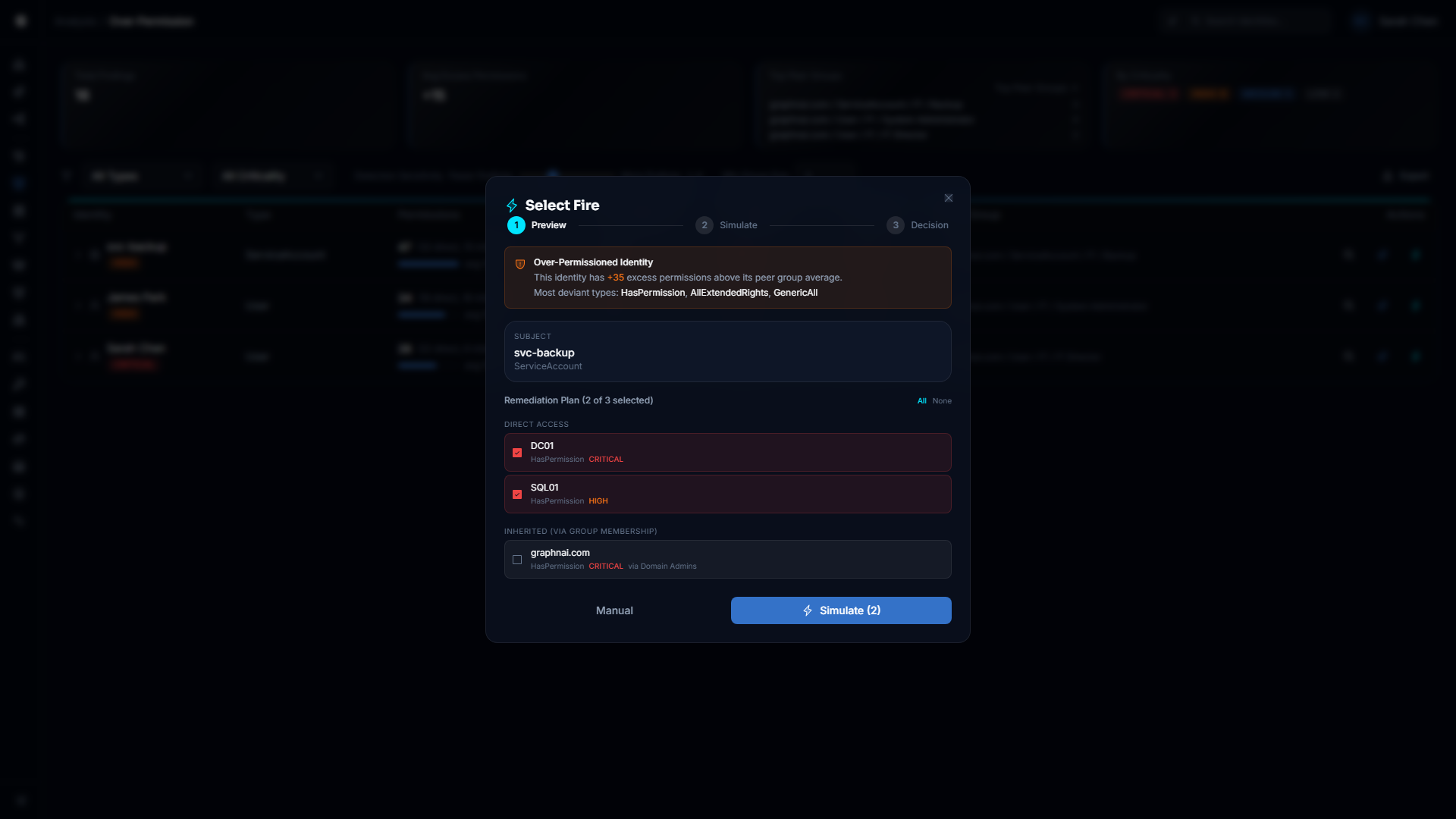
Step 1: Preview
The dashboard surfaces a finding. A service account with 5x the permissions of its peers. An over-permissioned identity flagged by peer-group analysis. Select Fire opens with the full context: what the finding is, why it matters, and a pre-built remediation plan with the specific subjects and targets already identified.
No hunting. No copying account names between tools. The finding flows straight from the Risk Posture Dashboard into a ready-to-simulate remediation plan. You review, adjust if needed, and hit Simulate.
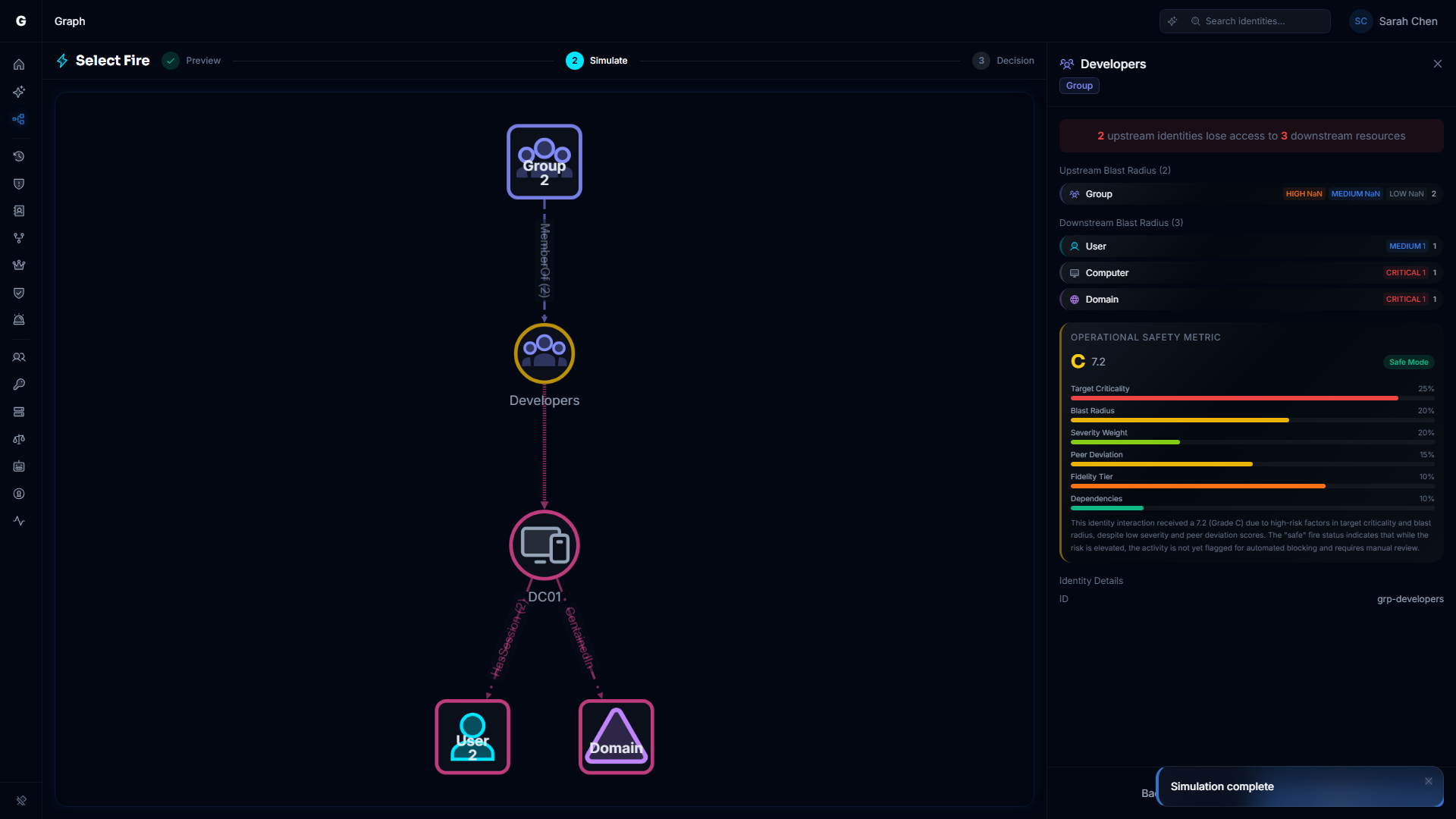
Step 2: Simulate
Before anything touches production, the Differential State Engine runs the change against a delta overlay of the identity graph. You see exactly who loses access. Every affected identity. Every downstream dependency. The Operational Safety Metric™ gives you a concrete number: how much operational surface area does this change touch?
The blast-radius graph makes the impact visual. Not a spreadsheet of affected accounts. An interactive graph where you can trace every path that changes. If the simulation shows collateral damage you didn't expect, go back and adjust. Run as many simulations as you need. They're lightweight and read-only.
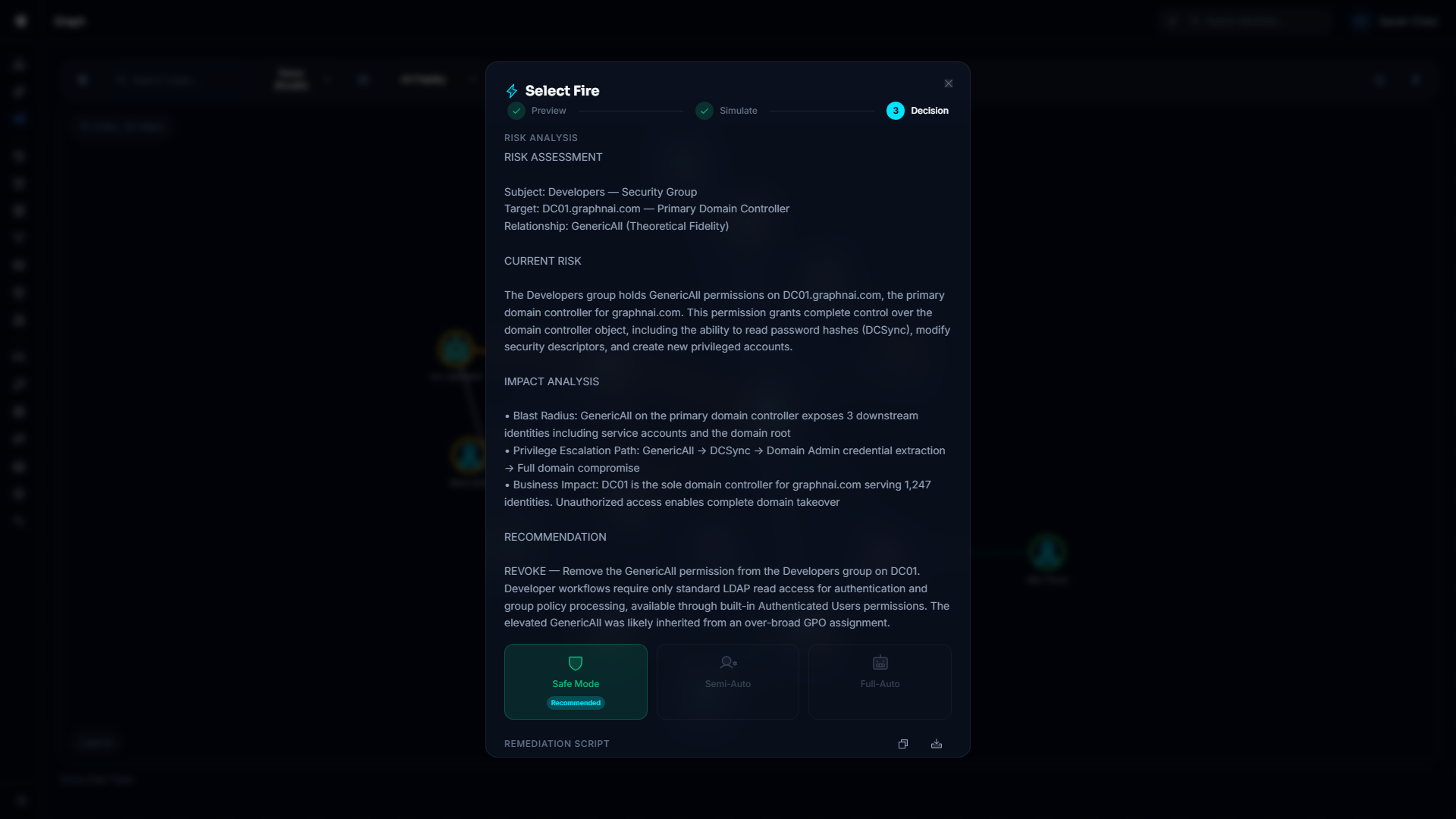
Step 3: Decision
The simulation data is in. Now you decide how to act. Three modes. You pick per finding.
Safe generates the remediation script with full risk assessment, rollback instructions, and execution steps. You read every line. Nothing runs until you say go. This is what you use for anything touching Domain Admins, Tier-0 assets, or that one service account everyone is afraid of.
Semi-Auto stages the fix and waits for one-click approval. The script is ready. The rollback is ready. You glance, you click, it's done. Good for the mid-tier stuff where you trust the logic but want a human in the loop.
Full-Auto handles the obvious wins. A user account that hasn't logged in for 400 days? Disable it. An expired group membership still hanging around? Clean it up. These are well-understood actions with clear guardrails.
The point is you don't have to pick one mode for your whole environment. Use Full-Auto to drain the backlog of stale accounts. Use Safe for anything that makes you nervous. Graduate findings from Safe to Semi-Auto as you build confidence. That's how real teams actually work.
What This Gets You
- Findings flow straight from the dashboard into a guided remediation workflow. No context switching. No copy-paste.
- Every remediation is simulated first. You see the blast radius before you commit to anything.
- Your backlog actually shrinks. Full-Auto handles the easy stuff while you focus on the hard stuff.
- Nobody gets woken up at 2 AM because a bot went too far. Guardrails are per-mode, per-finding.
- Every generated script includes the rollback. Every one. Non-negotiable.
- You build trust in the automation gradually instead of flipping a switch and hoping.
- Backlog burn-down becomes a reportable metric. Show the board remediation velocity, not just findings count.
See the full walkthrough in the Select Fire guide.